River clients can be configured with logging middleware that makes a logger available during job execution. Logs emitted during work are stored to job rows as metadata and made available in River UI.
Logs in the database
Large software installations will have access to industrial-strength tooling like Splunk for searching and aggregating logs, but although good, it’s often expensive and requires dedicated personnel to operate. River’s job-persisted logging is a lightweight out-of-the-box alternative, providing a compromise between observability and ease/cost of installation.
The Go riverlog package and Ruby’s job-persisted logging plugin collect logs emitted during an attempt. When jobs complete (either successfully or in error), logs are stored to metadata for later use. Storing log data to the database has its limitations (see TOAST and limits), but stays performant when used within reason.
Plugin installation
To use job-persisted logging, install riverlog.Middleware as a plugin on a River client:
riverClient, err := river.NewClient(riverpgxv5.New(dbPool), &river.Config{ Plugins: []rivertype.Plugin{ riverlog.NewMiddleware(func(w io.Writer) slog.Handler { return slog.NewJSONHandler(w, nil) }, nil), },})if err != nil { panic(err)}The middleware takes a function that initializes a slog logger to your specifications given an input writer. This writer maps to a buffer that riverlog uses to accumulate output for job runs before sending it to the database.
Add JobPersistedLogging::Plugin to the client’s plugin list to enable persisted worker logs:
config = River::Config.new( plugins: [River::JobPersistedLogging::Plugin.new], workers: workers, queues: {default: 10})This plugin ships in the core gem and stores logs in the same metadata format as Go and River UI.
Rust does not currently ship a riverlog equivalent that automatically saves worker logs into job metadata. Use tracing for process logs or work middleware for a custom capture integration.
TypeScript’s worker logger emits application logs; it does not persist them in River UI. Use an external log collector or work middleware for custom capture. There is no bundled job-persisted logging plugin yet.
Logger in work context
With middleware installed, a logger is accessible in workers through riverlog.Logger(ctx):
import (    "context"    "log/slog"
    "github.com/riverqueue/river")
type LoggingWorker struct { river.WorkerDefaults[LoggingArgs]}
func (w *LoggingWorker) Work(ctx context.Context, job *river.Job[LoggingArgs]) error { riverlog.Logger(ctx).Info("Logged from worker") riverlog.Logger(ctx).Info("Another line logged from worker", slog.String("key", "value")) return nil}Write through job.logger inside the worker to record messages for that job’s execution:
def work(job) job.logger.info "Logged from worker" job.logger.warn "Skipped a malformed row"endjob.logger requires the persisted-logging plugin. It is a fresh standard Ruby logger for each attempt; only output sent to it is captured.
Use your application’s tracing configuration. Include the job ID, kind, and attempt in logs to correlate them with River UI. These logs are not automatically written to the job row.
Use the logger supplied in the work context for messages and structured fields associated with the running job:
workers.add(myJob, async ({ logger }) => { logger.info("Logged from worker"); logger.info({ key: "value" }, "Another line logged from worker");});The contextual logger adds job ID, kind, and attempt. Its output goes to the configured application logger, not job metadata.
Testing workers expecting logger
Use the rivertest.Worker test helpers configured with riverlog.Middleware to make a valid logger context available when testing workers:
import ( "github.com/riverqueue/river" "github.com/riverqueue/river/riverdriver/riverpgxv5" "github.com/riverqueue/river/riverlog" "github.com/riverqueue/river/rivertest" "github.com/riverqueue/river/rivertype")var ( config = &river.Config{ Plugins: []rivertype.Plugin{ riverlog.NewMiddleware(func(w io.Writer) slog.Handler { return slog.NewJSONHandler(w, nil) }, nil), }, } driver = riverpgxv5.New(nil) worker = &MyWorker{})
testWorker := rivertest.NewWorker(t, driver, config, worker)Configure the persisted-logging plugin on the client used by River::Testing.perform_job. Assert against the final job metadata after the attempt; directly calling the worker does not install the logger.
Install a tracing subscriber in the test harness to inspect process logs. Use a real client when testing a custom work middleware capture integration.
@riverqueue/test’s workOnce supplies a contextual logger and captures emitted messages in its result. Use a real runtime to test a custom persistence plugin.
In River UI
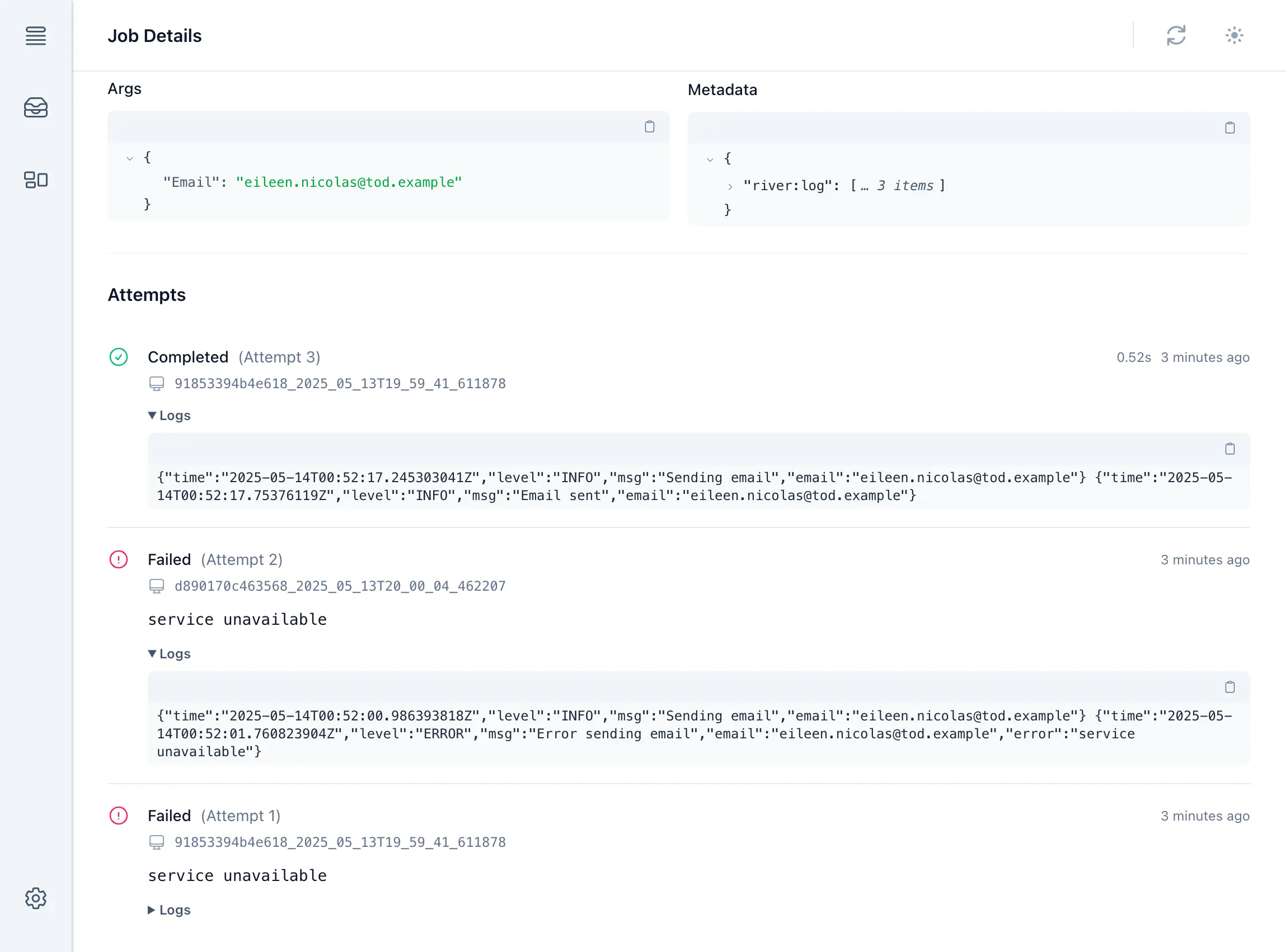
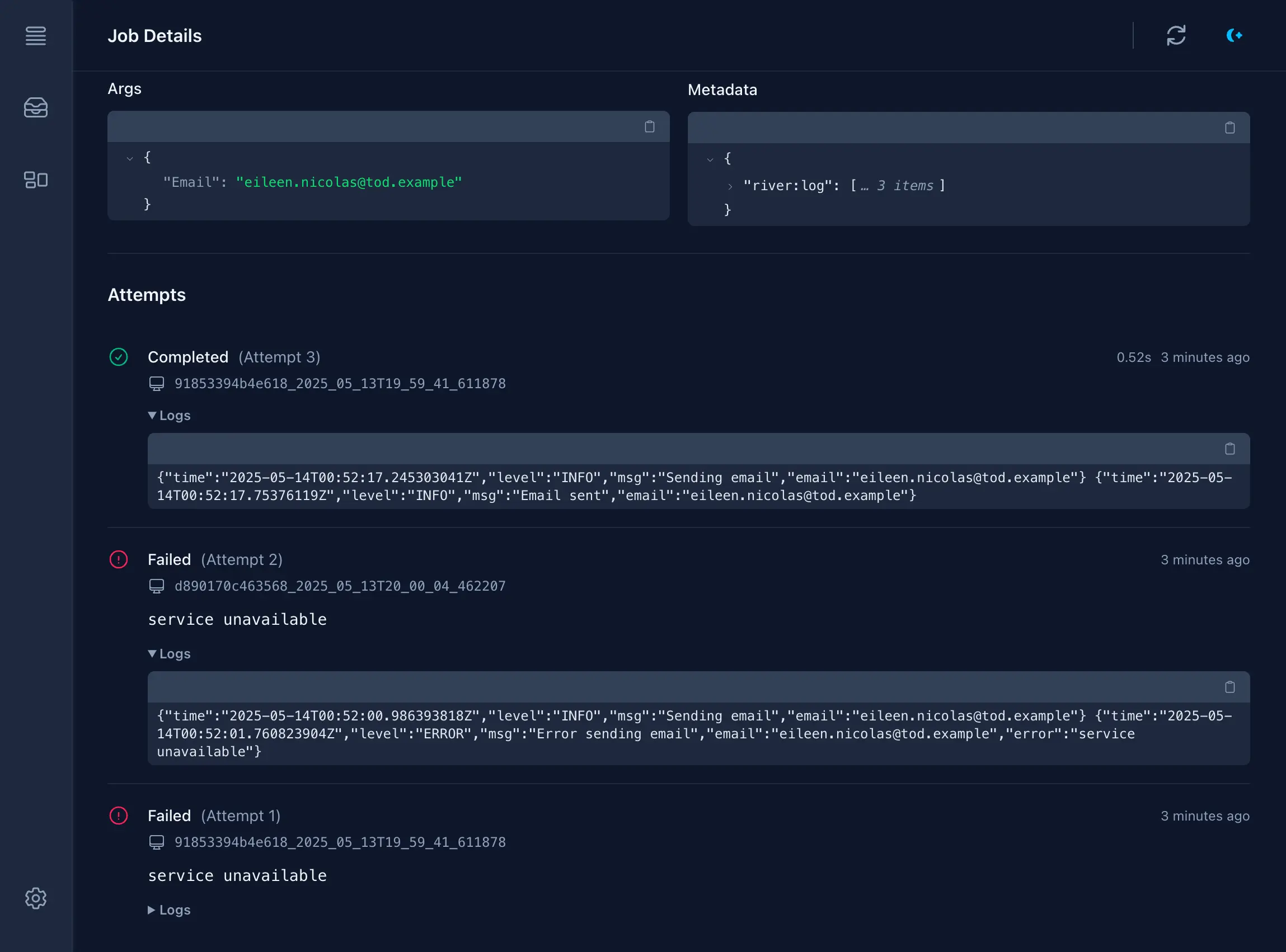
After being written to each job’s row, logs are accessible from the job details page in River UI. Each run of a job shows up in its own section, complete with logs emitted during the run.
TOAST and limits
Job-persisted logs are stored to metadata. Metadata is a jsonb blob, making it a varlena type in Postgres that’s stored out of band of its job row in TOAST, thereby having minimal impact on a job table’s performance.
However, jsonb fields have a maximum size of 255 MB and because on the default retry policy a job will run up to 25 times, River caps the length of logs for a single run at 2 MB (2 * 25 = 50 MB, where 50 MB << 255 MB to leave room for other uses of metadata). This limit can be increased or decreased using the MiddlewareConfig.MaxSizeBytes option. It’s not an error if logs exceed MaxSizeBytes, but they’ll be truncated to fit.
Ruby defaults to 2 MiB per attempt and 8 MiB of serialized log history. Configure max_size_bytes: and max_total_bytes: on River::JobPersistedLogging::Plugin. Excess attempt bytes are truncated; the oldest history entries are dropped first. Logs persist at finalization, so a process crash can lose the current attempt’s buffer.
There is no built-in persisted log buffer. If implementing one with middleware, bound both individual attempts and total history, and remember that buffered metadata can be lost in a process crash.
There is no built-in persisted log buffer. Keep external logs bounded and avoid putting unbounded log arrays in job metadata. If implementing custom capture, account for retries and process crashes.
Custom logging context
The default use of riverlog is tied quite strongly to Go’s slog package, and although slog is a reasonable default in most situations, it might not be suitable for all projects.
For added flexibility riverlog provides an alternate NewMiddlewareCustomContext that takes a context and writer and returns a context that’ll be inherited by Work functions. It can be used to store any arbitrary value to context like a Logrus or Zap logger:
type customContextKey struct{}
riverClient, err := river.NewClient(riverpgxv5.New(dbPool), &river.Config{    Plugins: []rivertype.Plugin{        riverlog.NewMiddlewareCustomContext(func(ctx context.Context, w io.Writer) context.Context {            // For demonstration purposes we show the use of a built-in            // non-slog logger, but this could be anything like Logrus or            // Zap. Even the raw writer could be stored if so desired.            logger := log.New(w, "", 0)            return context.WithValue(ctx, customContextKey{}, logger)        }, nil),    },})if err != nil {    panic(err)}
func (w *CustomContextLoggingWorker) Work(ctx context.Context, job *river.Job[CustomContextLoggingArgs]) error { // Extract the logger embedded in context by middleware logger := ctx.Value(customContextKey{}).(*log.Logger) logger.Printf("Raw log from worker") return nil}Supply a factory block to customize the logger that writes to the bounded capture buffer:
logging = River::JobPersistedLogging::Plugin.new do |writer|  Logger.new(writer, level: :debug)end
config = River::Config.new(plugins: [logging])
The plugin does not redirect Rails.logger, standard output, or the client’s process logger.
Configure the application’s tracing subscriber and middleware according to its logging stack. No Go context or slog adapter is involved.
Set the client’s logger to an object with Pino-compatible argument order, (attributes, message). Worker loggers inherit it with job attributes attached. This is application logging, not automatic database capture.